
Download The Appropriate Form Below
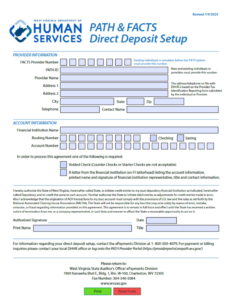
Download Direct Deposit Setup Form
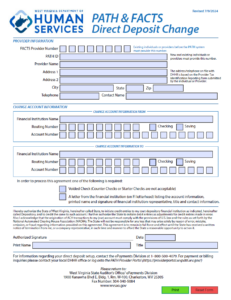
Download Direct Deposit Change Form
Direct Deposit Information for Child Care Providers
How to Set Up or Change Direct Deposit for PATH & FACTS Providers
The West Virginia Department of Health and Human Resources (DHHR) and the State Auditor’s Office have streamlined the process for providers to receive payments through direct deposit in the PATH (People Access To Help) and FACTS (Families and Children Tracking System) systems. Whether you are a new provider or need to update your banking information, here’s what you need to know.
Before You Begin
To avoid delays, ensure the following steps are completed before submitting your form:
- Verify Your Information: The name, address, and phone number on your form must match DHHR records. If you’ve moved or changed your phone number, update your information with DHHR first by contacting your local office, caseworker, or the DHHR Customer Service Center at 304-558-2400.
- Choose the Correct Form:
- Setup Form: For new providers who are not yet enrolled in PATH/FACTS direct deposit.
- Change Form: For existing providers who need to update their bank account details.
- Gather Required Documentation:
- A voided check (counter or starter checks are not accepted) with your name and address printed.
- A letter from your financial institution on official letterhead, listing:
- Account holder name
- Routing and account numbers
- Account type (checking or savings)
- Printed name, signature, title, and contact information of the bank representative.
Important Guidelines
- Forms must be signed with an ink pen—electronic signatures are not accepted.
- The date on the form must be within the last 60 days.
- Print your name exactly as signed. If signing on behalf of a business, include your title; if an individual, specify Foster Parent, Guardian, etc.
- Do not email forms. Submit by fax or U.S. mail only:
- Fax: 304-340-5084
- Mail:
West Virginia State Auditor’s Office
ePayments Division
1900 Kanawha Blvd. E, Building 1, Room W-100
Charleston, WV 25305
Provider Information Required
- FACTS Provider Number: Assigned before conversion to PATH.
- PATH ID Number: Assigned to all providers in the PATH system.
- Provider Name and Contact Information: Must match DHHR records.
Account Information Required
- Financial institution name
- Routing number (9-digit bank identifier)
- Account number
- Account type (checking or savings)
Need Help?
- For questions about payment amounts, dates, or missing checks, contact DHHR at 304-558-2400.
- For questions about direct deposit setup or changes, contact the State Auditor’s Office ePayments Division at 1-800-500-4079 or email epay@wvsao.gov.
- For provider account access, visit the PATH Provider Portal.
Note: The State of West Virginia complies with U.S. law and NACHA rules for ACH transactions. This authorization remains in effect until written notice of termination is received and processed.
